

|
Actors |
Shipping Agents |
|---|---|
|
Description |
Creating or updating a scheduled manifest for a stopover |
For a transshipment process, the type of traffic selected must be “Transshipment”.
Requires a computer link between the PVMIS system and the shipping agent's IT system.
The PVMIS system automatically integrates the agent's scheduled manifests.
The most common reasons why a manifest is not present are listed below:
-
Freight forwarder’s identification code on the goods is not understood by PVMIS
-
Your IT department has not transmitted the scheduled manifest
Stopover number not included
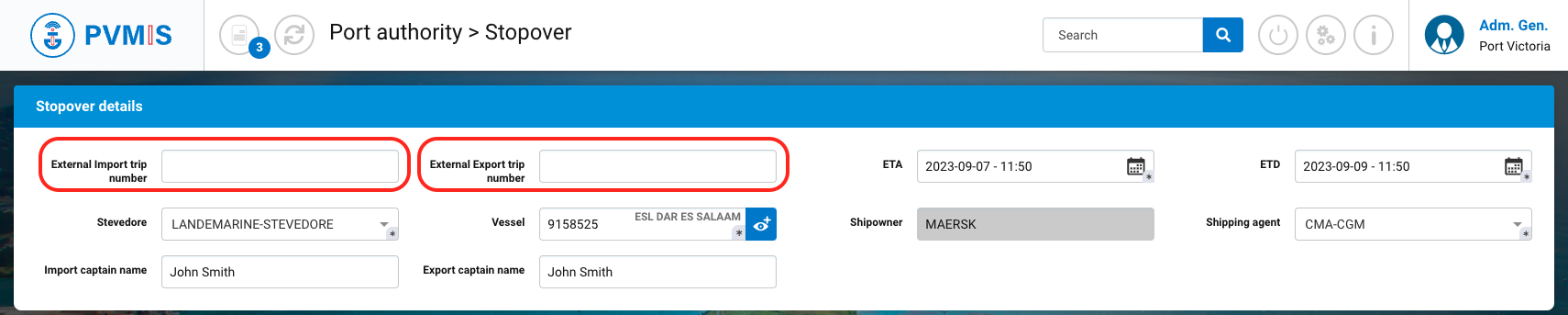
For some shipping agent systems, it may not be possible to use the PVMIS unique call identifier for a stopover (starting with POV and followed by a number) directly.
It is first necessary to go to the stopover details to add the identification code of your system (code that your IT department will indicate when sending the scheduled manifest):
Freight forwarder's identification code on the goods is not understood by PVMIS
Contact the PVMIS team to set up a technical match between a freight forwarder code in your system and the PVMIS system.
Your IT department has not transmitted the scheduled manifest
In the case of a blockage, you can always add the scheduled manifest manually: Creating or updating a scheduled manifest (via PVMIS user interface) (Transshipment - Import Part)